

1. Add an API
Paste a spec URL or an MCP server’s URL. MCPAPI reads the name, address and sign-in, and indexes every operation.
MCPAPI is a hosted MCP server. You add APIs from their OpenAPI or Swagger specs, Postman collections or MCP servers, or enable public connectors. Your agent reaches all of them through one URL and three tools: it searches in plain words, reads only the operation it picked, and runs it.
Connected directly, every tool definition is sent with every request: Stripe’s API alone has 612 operations at roughly 300 tokens each. Through MCPAPI your agent carries about 400 tokens of tool definitions, however many APIs you connect.
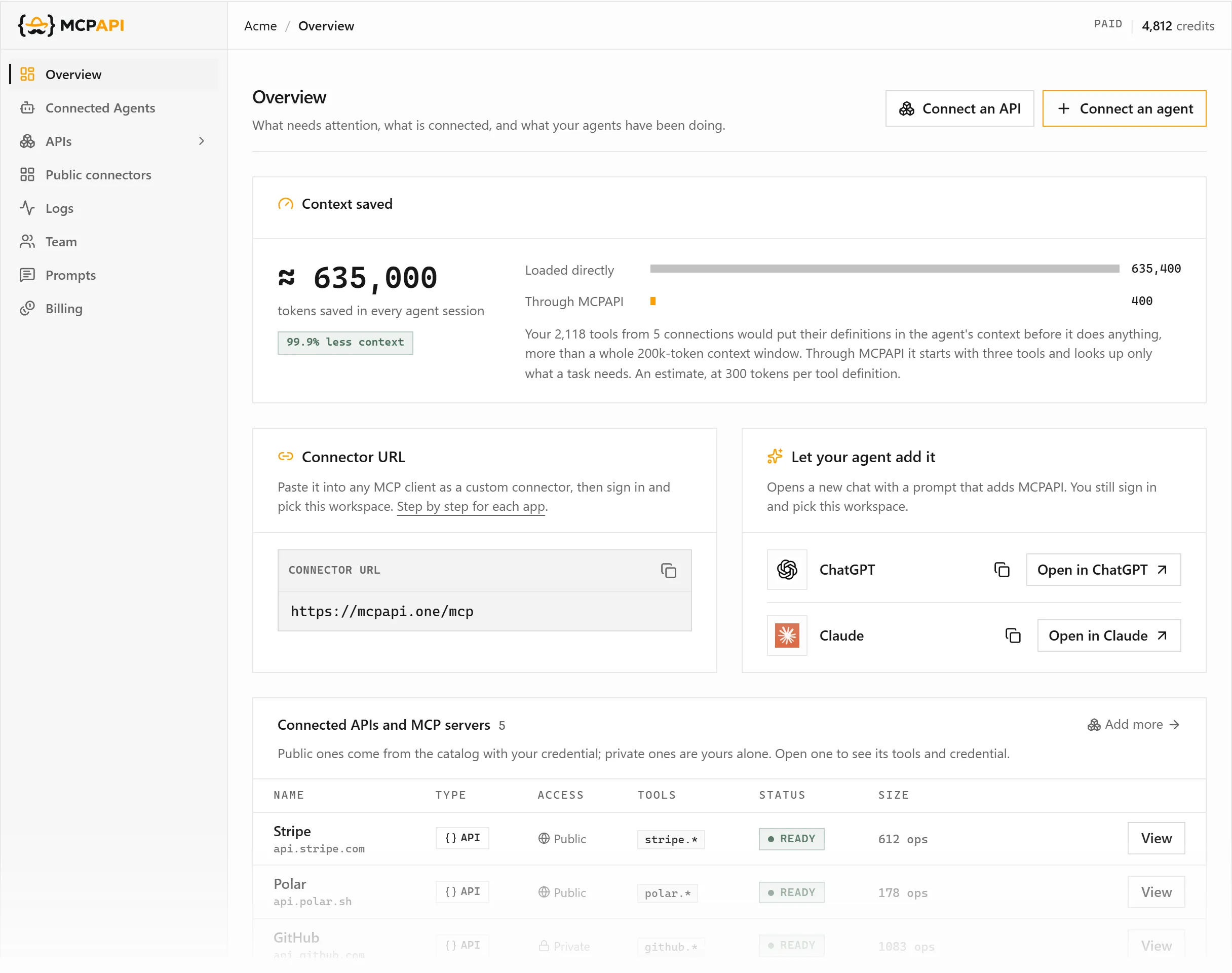
1. Add an API
Paste a spec URL or an MCP server’s URL. MCPAPI reads the name, address and sign-in, and indexes every operation.
2. Connect your agent
Add https://mcpapi.one/mcp to Claude, ChatGPT, Cursor, VS Code, Claude Code, Codex or any MCP client.
3. Ask
Your agent searches, reads the one operation it needs and runs it. Every call is checked against your rules and logged.
4. Manage
Give each person read or write per API, keep sandbox and live accounts apart, and ask before writes run.
stripe.PostRefunds.sandbox or live, the team’s or one person’s own.read, write or destructive. Access, keys and approvals are judged on it.